LOCI Progress Details
After the version starts with upoload, the Progress Details Page opens for a transparent and detailed view over the details related to this process.
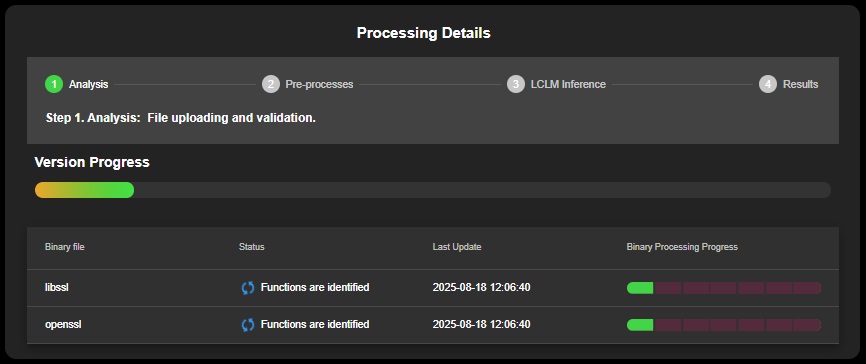
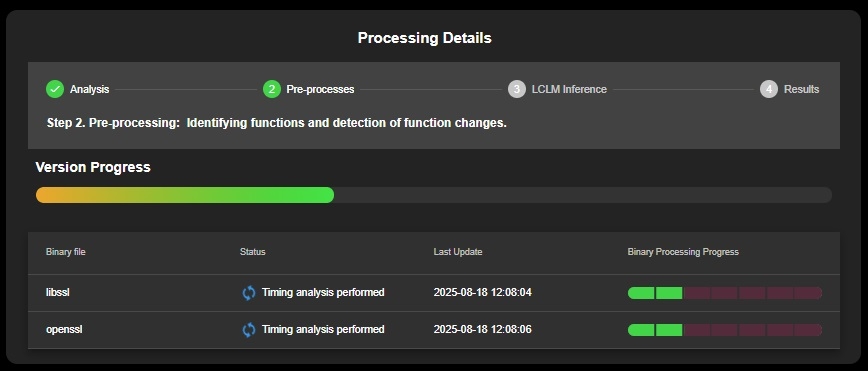
LCLM Inference Phase
LCLM Inference (Creating timing analysis, performance degradation, function dependency detection and comparison reports) - LCLM Inference is the phase where timing analysis is performed, performance degradation is assessed, function dependencies are detected, and detailed comparison reports are generated.
 > Version Progress Details: Step3
While the process of uploading runs the version on the Project Overview Page shows with status “In progress”. Depending on the status in which the version is the following statuses can be seen:
In Progress: Your binary file is currently being uploaded to LOCI. Please wait while the system processes the file. Larger files may take a little longer depending on your connection speed.
Failed: The upload was not successful. This could be due to an unsupported file format, a network issue, or a server-side error. Double-check the file and try again. If the problem continues, please contact support.
Completed: Your binary file has been uploaded successfully. You can now proceed with the next steps, such as analyzing the file or starting your workflow in LOCI.
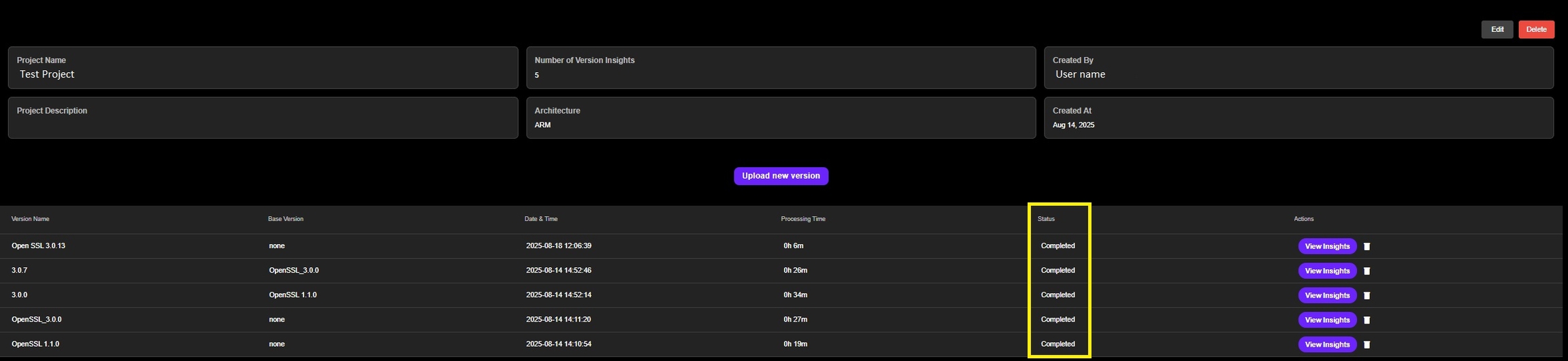
Project Version ‘status’
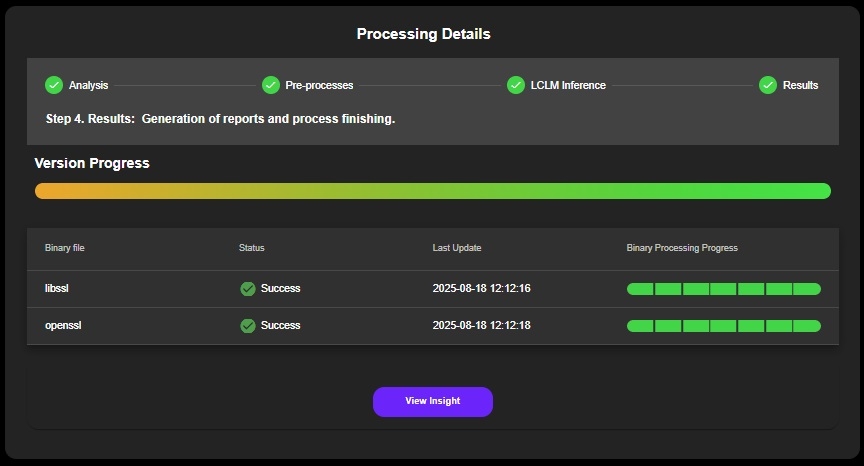
When the upload is successfully finalized two actions can be taken:
Processing Details
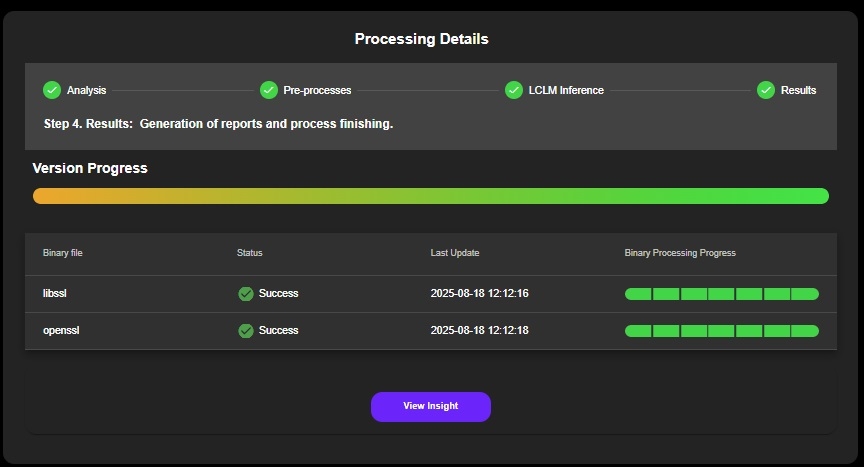
View Version Insights
Go to the Project Overview Page for next steps (upload new binary or review the list of versions related to the specific Project)
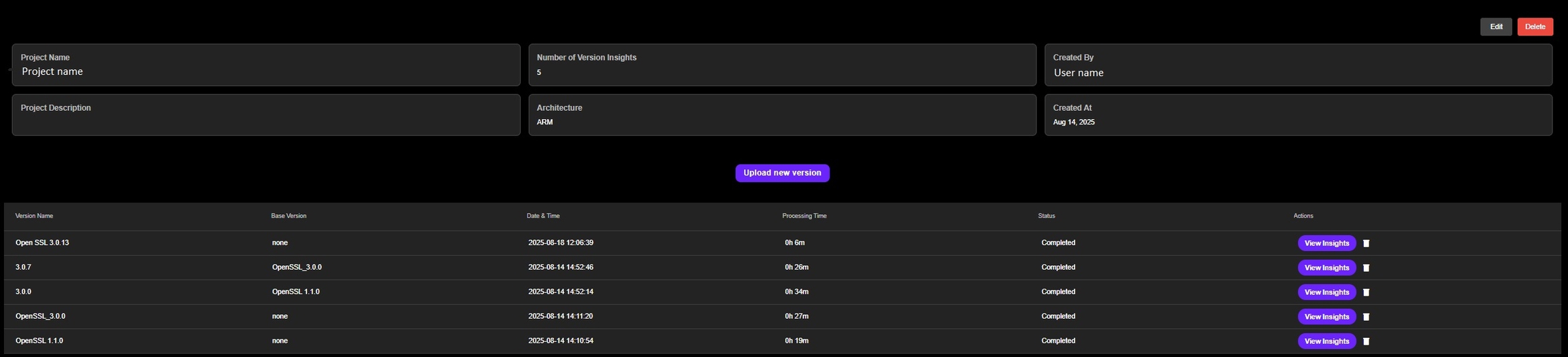
Project Overview Page
Last updated